
Typically, when a junior participant registers via www.playcricket.com.au they are assigned a registration type and role that identifies that participant in your club records. This allows them to then be selected in teams.
If players are not visible for selection in teams it may be because that participant has not been assigned a junior role at point of registration.
To assign participants a junior role, follow the steps below!
Step 1. MODE: ADMINISTRATION or TEAM > MENU: People > Reconfirm Change Person Roles
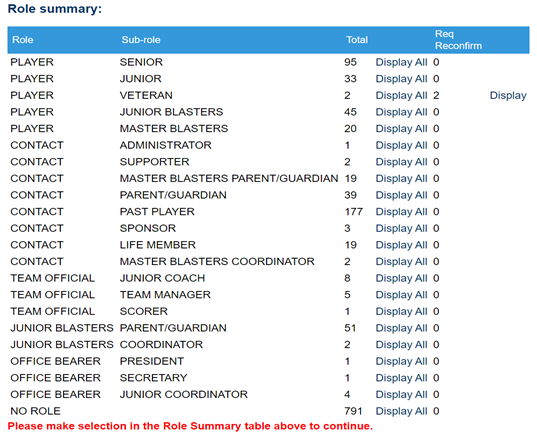
Step 2. Select “Display All” against those with No Role

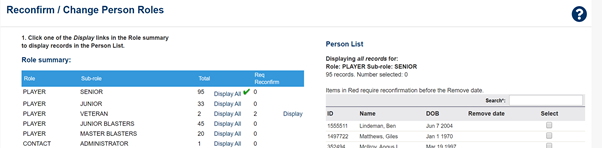
Step 3. Either choose “Select All” (if changing for all those with No Role) or click on the check box next to the selected participant who you are adding a junior role too.

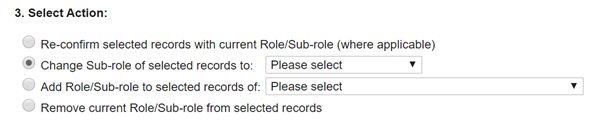
Step 4. Add junior role to participant by selecting “PLAYER:JUNIOR”
Step 5. Finalize process by selecting commit changes.

Comments
0 comments
Article is closed for comments.