
To update your own user account details, go through;
Administration (MODE) > Users > My Account > (Choose Task)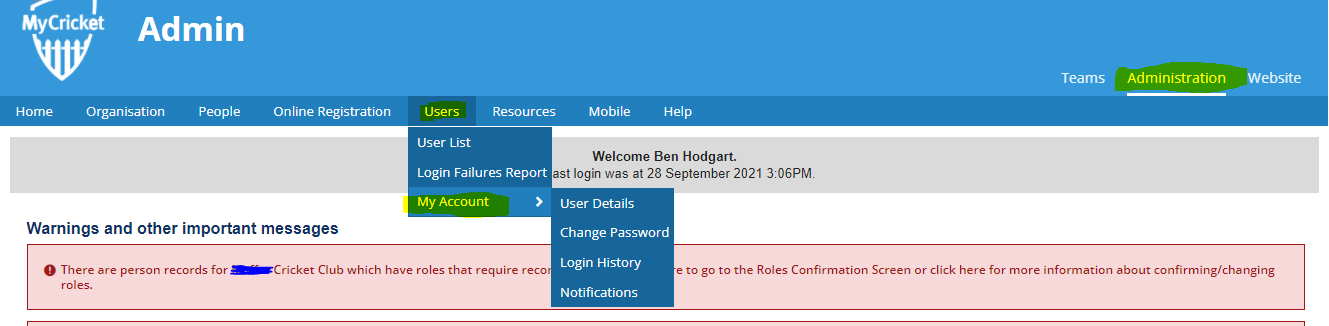
The following options can be accessed from this menu:
|
User Details
|
View and update your user details.
Change the details in any active field and click Update to save.
|
|
Change Password
|
Change your current password.
Complete the Current and New Password fields.
Re-type your new password to confirm in the New Password (confirm) field.
Ensure the new password contains 6 alpha-numeric characters (at least 1 letter and 1 number)
|
|
Login History
|
Displays a table detailing your login/logout history, including the dates you logged in and out of the system, the session time (in minutes) and the IP address of the computer you logged in from.
|
|
Notifications
|
Subscribe to system notifications available for your access level.
|
Comments
0 comments
Article is closed for comments.