
Towards the end of the season you might like to hide the leaders in public reports.
This will ensure that club awards remain a surprise until presentation night.
The following reports can be hidden from the public MyCricket site and your Club Website
- Batting Averages
- Bowling Averages
- Club Championship
NOTE: If you are logged in as a Site Manager then you will be able to see the reports on the public site and your Club Website in a new tab. Anyone not logged in or without Site Manager Access will not be able to access these reports.
To disable (hide) the Batting & Bowling Reports, go through;
Teams (MODE) > Settings > Grade Customisation
1. Follow the above menu path
2. Tick the Disable option next to each report and each grade you wish to hide the report for.
3. Click Update at the bottom of the screen.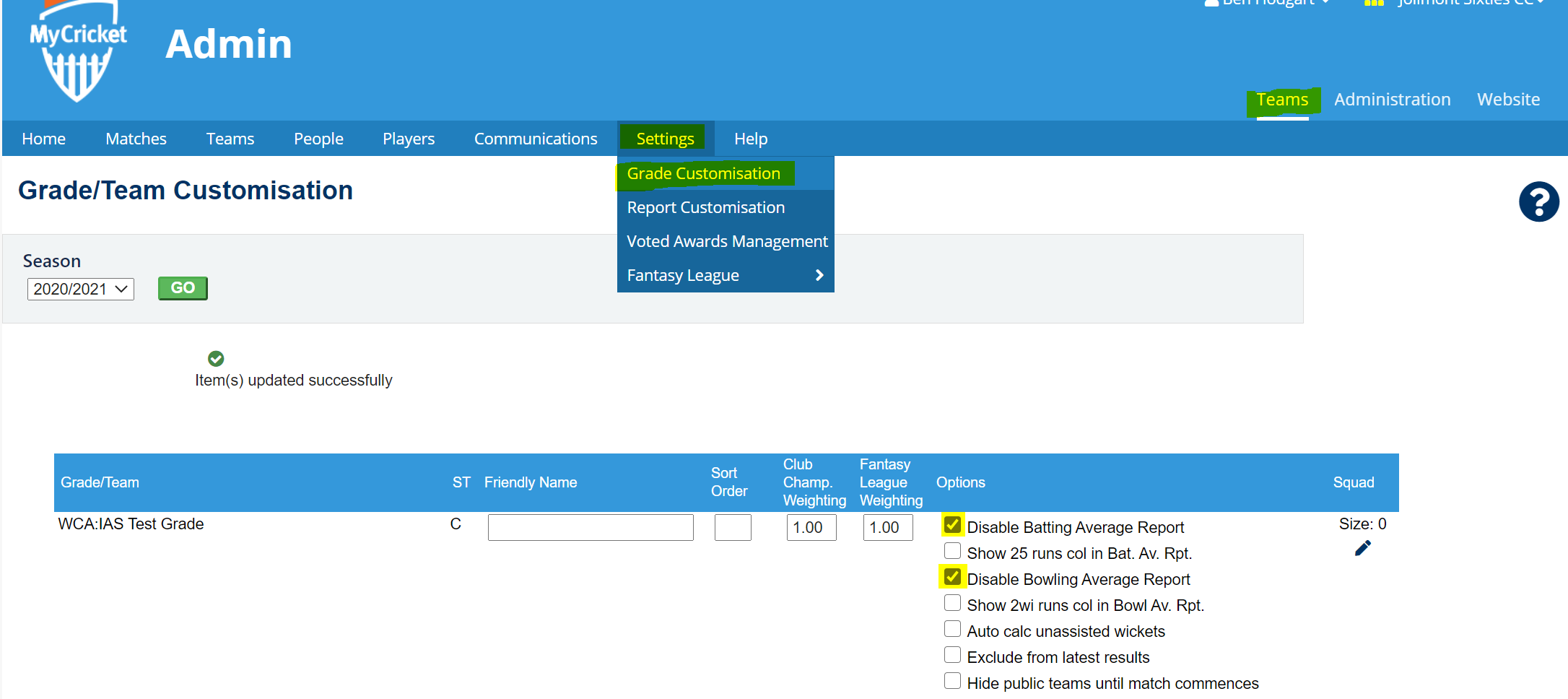 _______________________________________________________________________________
The public site view will show the below (for the Batting Averages report);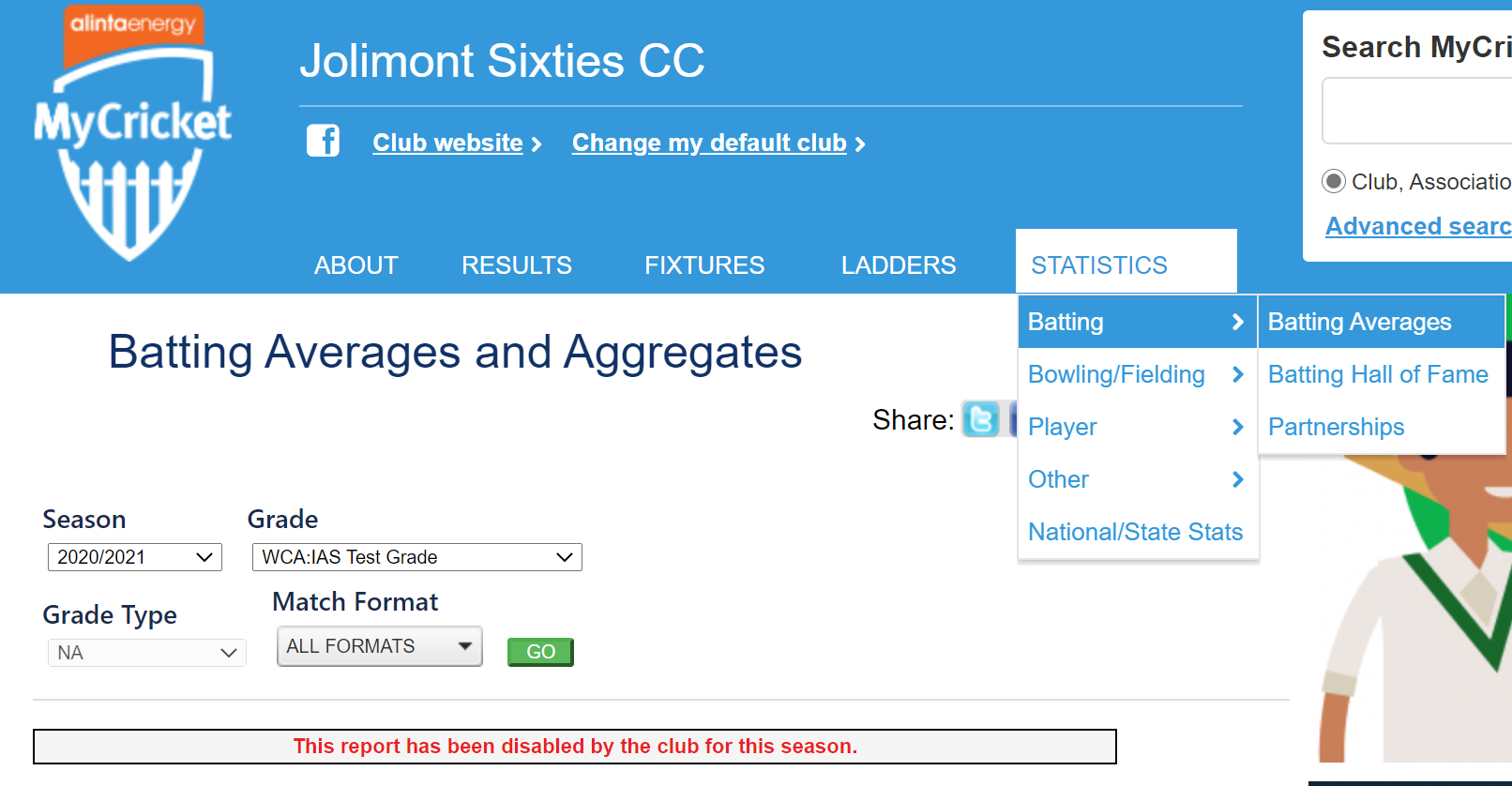 _______________________________________________________________________________
To disable (hide) the Club Championship Report, go through;
Teams (MODE) > Settings > Report Customisation
1. Follow the above menu path
2. Select the Disabled option next to 'Club Championship Report'
3. Click Update at the bottom of the screen
___________________________________________________________________________________
The public site will show the below (for the Champion Player report);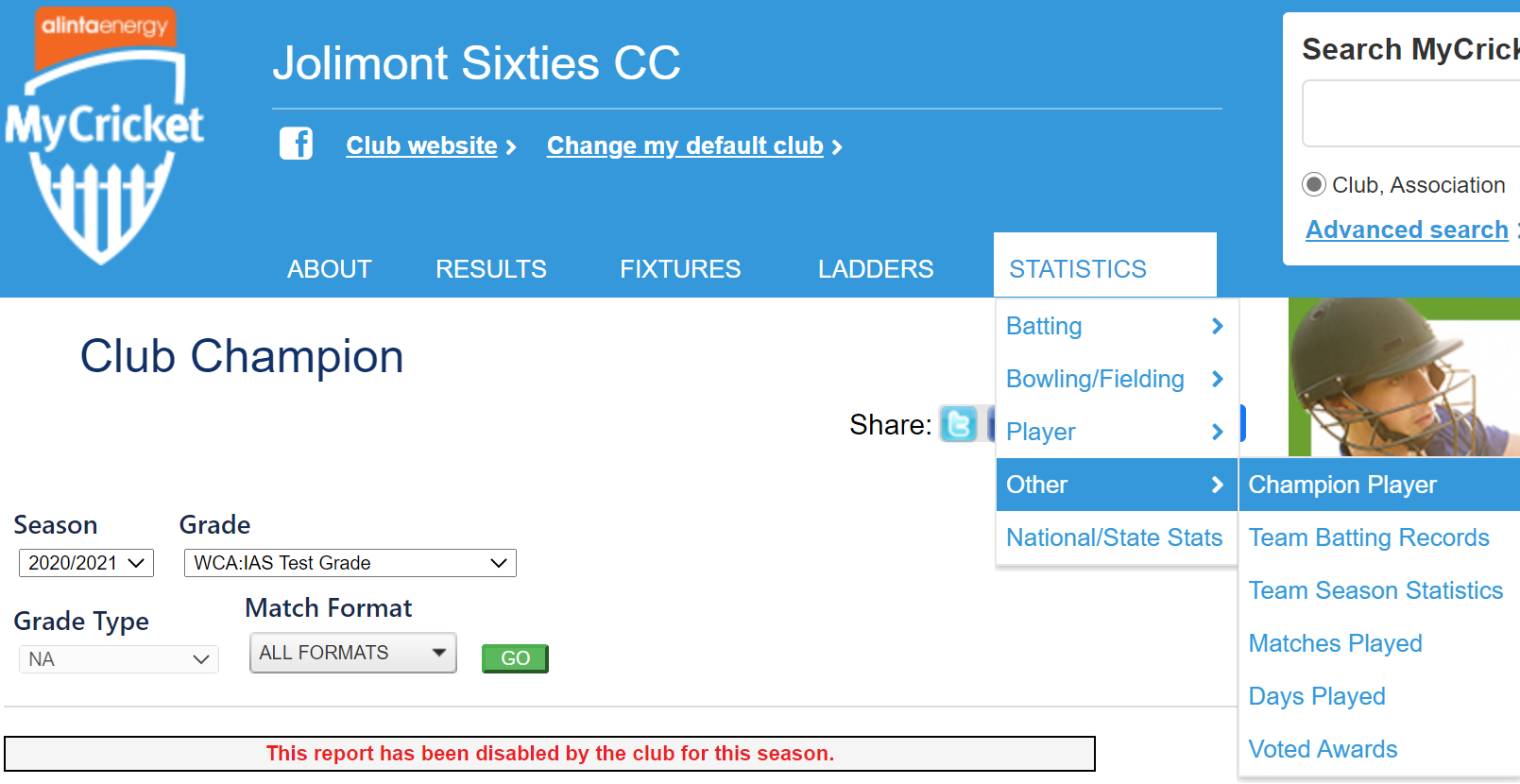
___________________________________________________________________________________
Note: This is a Club level task, if you are an Association, and you wish to disable / hide the leaders for your Club Championship and other reports, please click here to view the article for hiding awards via the Association.
Comments
0 comments
Article is closed for comments.