
This article will show you how to use the Champion Player reporting tool to calculate your club/associations champion player for the season.
When you open the Champion Player Calculator you will be able to adjust the weighting of points allocated for each stat. (Highlighted in Yellow).
Once you have adjusted the weighting of points you can download a combined stats report from https://stats-community.cricket.com.au/
Once the Player Statistics report has been downloaded copy the player stats and paste them into the Champion Player Calculator.
Once the stats have been pasted the player score will automatically populate on the left hand side of the report in Green.
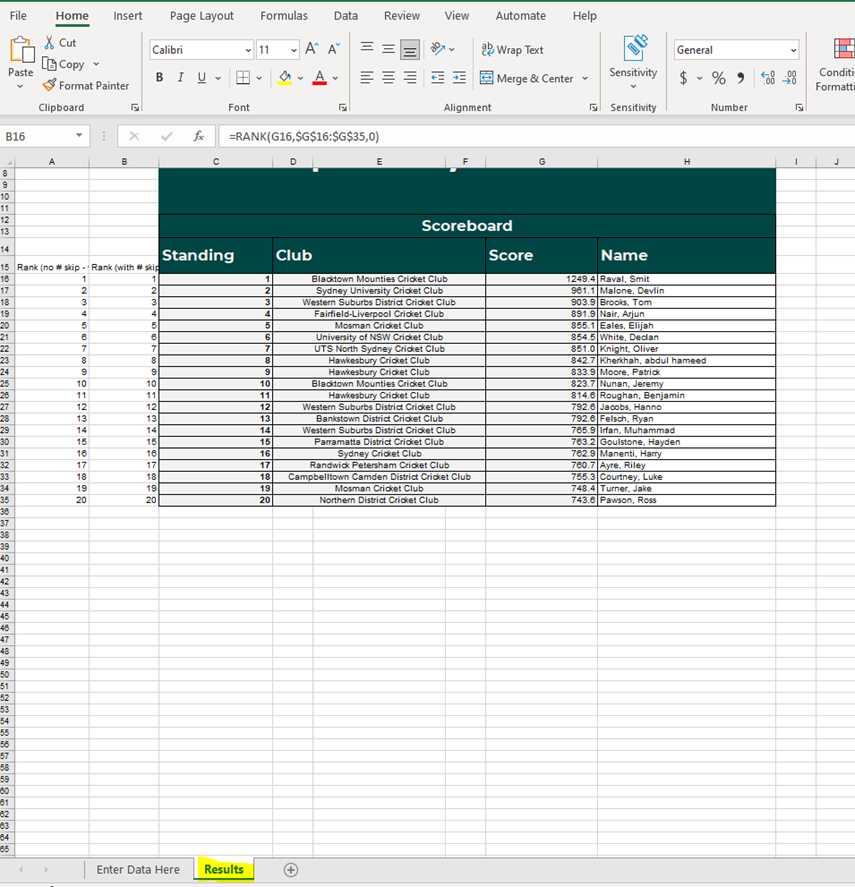
To view the top 20 players, click on the Results tab on the bottom of the screen.
Comments
0 comments
Article is closed for comments.