
In order to make it simpler for clubs to register their junior players who play in multiple associations and avoid creating multiple 0 dollar products. MyCricket now allows junior players who have completed their first registration via PlayCricket to be registered with other associations via the manual registration dashboard.
This functionality cannot be used to register a first time player who has not registered on PlayCricket for the current season.
Below is a step by step guide on how to register a player who has an active registration type into another association
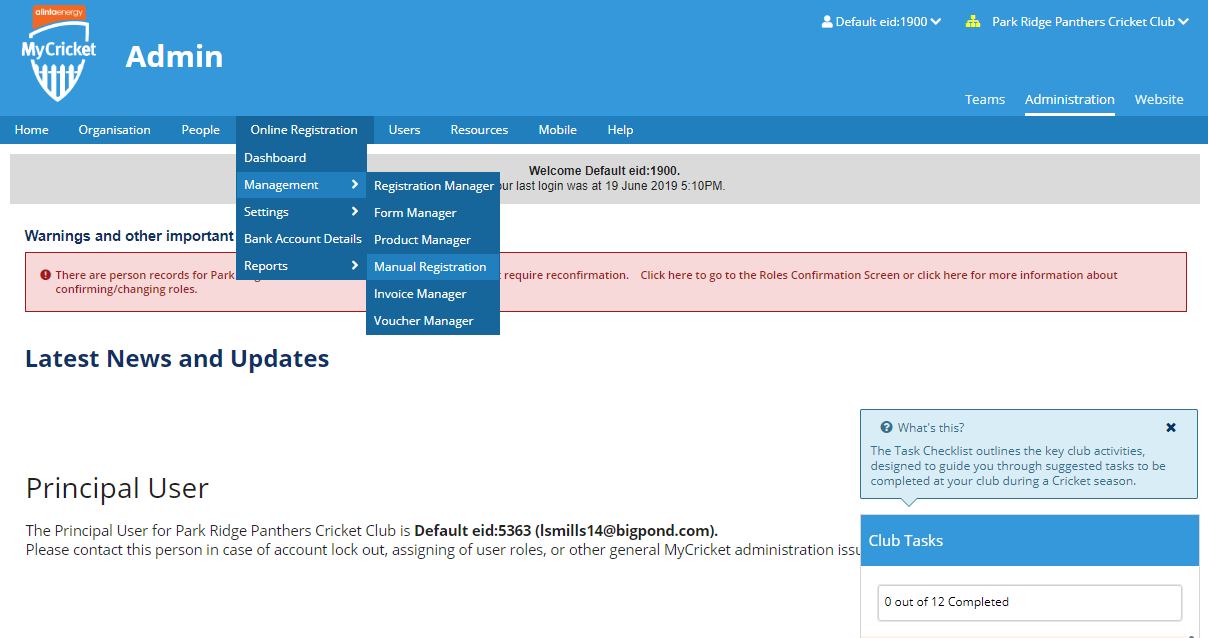
Step 1: Navigate to the Manual Registration Page via the Online Registration Tab
Step 2 : Search for the player you want to register using the person name or ID and the association you wish to register them into.

Step 3: Once you have the player you wish to register, click the checkbox on the player record
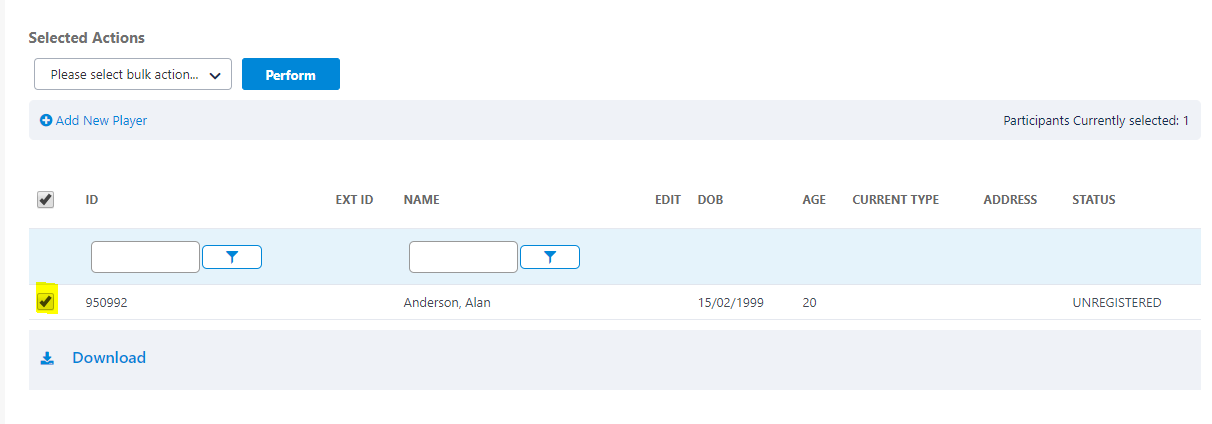
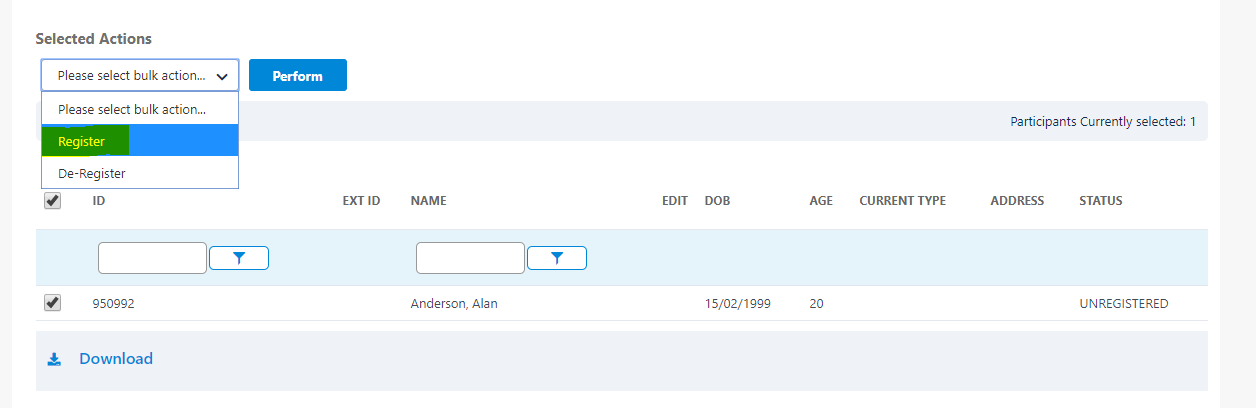
Step 4 : From the selected actions dropdown select the register option and hit perform
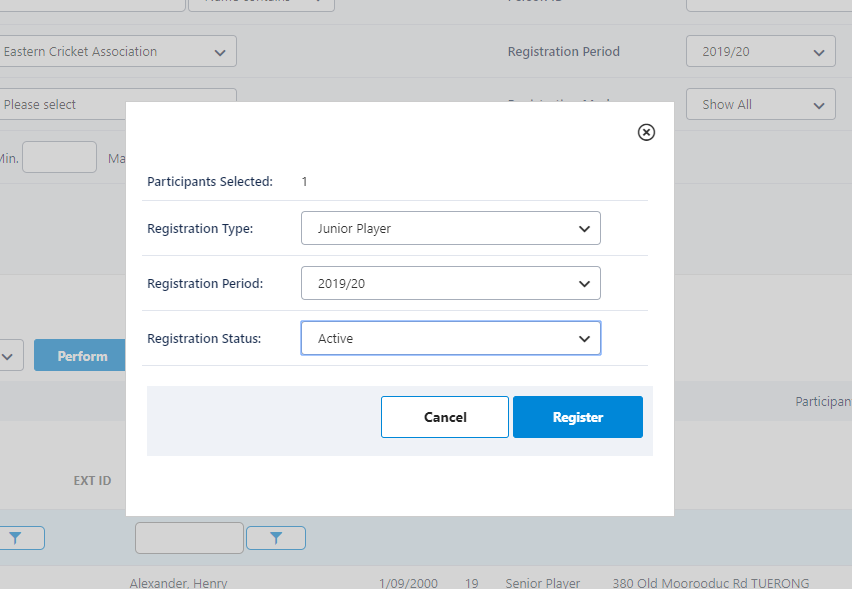
Step 5: A pop module will appear, select the following values in the dropdown
Registration Type: Junior Player
Registration Period: 2019/20
Registration Status: Active
and hit the register button
(Please note adding a new reg type will also assign the player a role, so if the player is under 18 but is being added to a Senior Reg Type they will receive a junior playing role, this can be edited via the person edit page)
Step 6 : If the player has previously registered via PlayCricket, you will receive a registration success message

Note : If the player has not registered via PlayCricket, you will receive the following error message.

Step 7: You can verify is the registration has been added successfully by clicking the pencil icon on the player you have just manually registered .
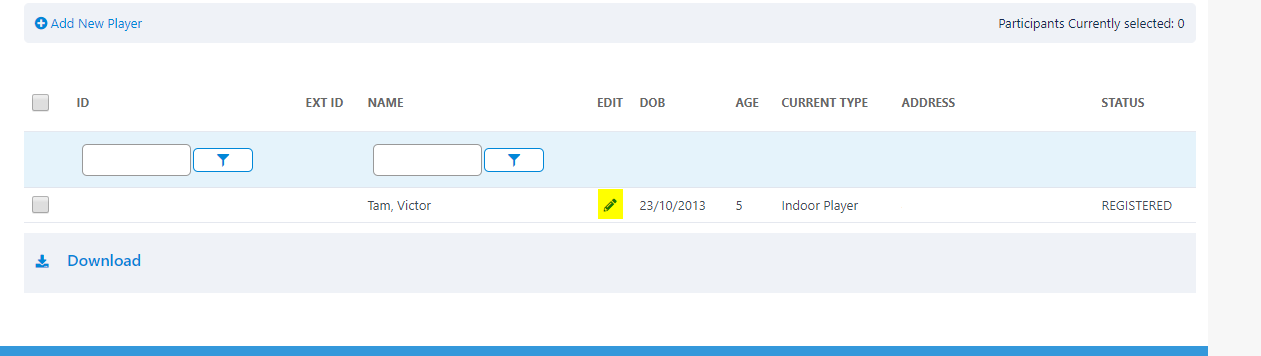
and navigating to their registration records, via the activity tab. Here you should see 2 active junior registration types.

Comments
0 comments
Article is closed for comments.